Digital site diary & project control

Every day on site.
Every euro on the project.

Your foreman fills in the daily report from a phone, right on site — 2 minutes a day. The rest happens on its own: quantities, payment certificates and cost, in real time.

2 minutes a day Works without signal Site workers join free English & Greek
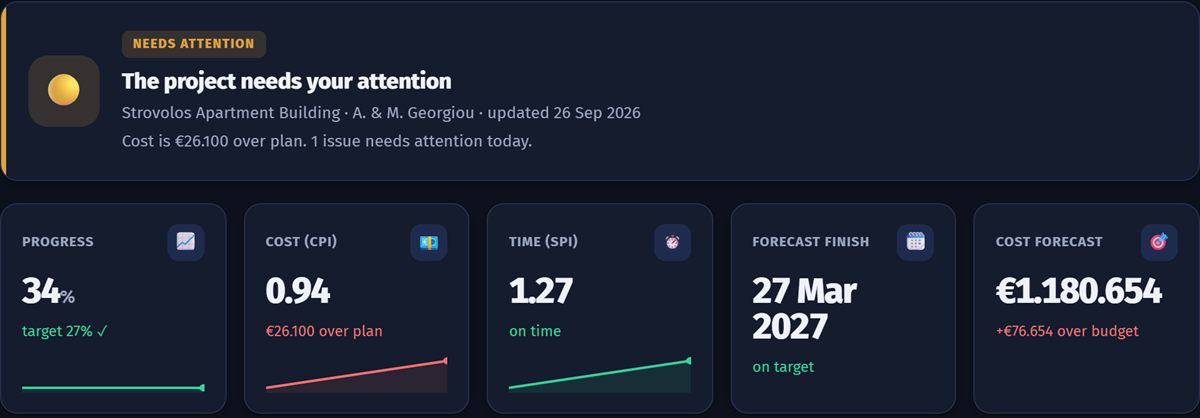
Project home screen: progress, cost, time and completion forecast
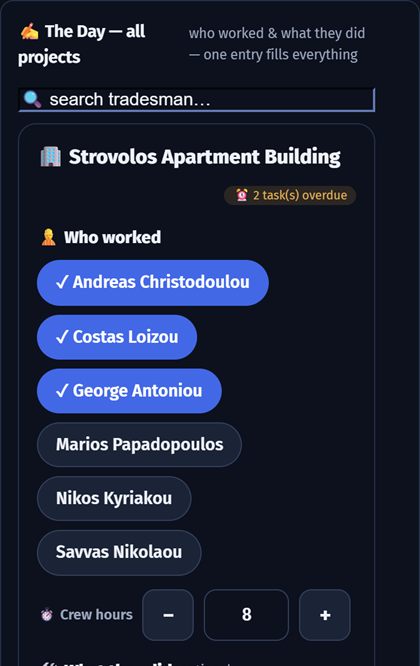
Logging the day from a phone: who worked and what they did
A product of Kionas Project Advisory
Who we serve

What's your role on the project?

One platform, four apps — each built for the work you do.

For the contractor who wants to know where the money goes

From the crew to the final account — no paper, no photos lost in WhatsApp.

  • Site diary from a phone, with photos and weather
  • Bill of quantities, payment certificates and VAT
  • Cost per work item, profit margin and completion forecast
  • Schedule with critical path and daily progress
e-ContractorContractor / main contractorBook a demo
Find your page
One system for the whole project

Everything that lives in notebooks, Excel and WhatsApp today — in one place

Every entry is made once and fills everything else: progress, cost and certificates.

01 · SITE DIARY

The day is logged on site, not at night in the office

The foreman picks who worked and what they did, adds photos and goes. Everything is kept with date, time and name.

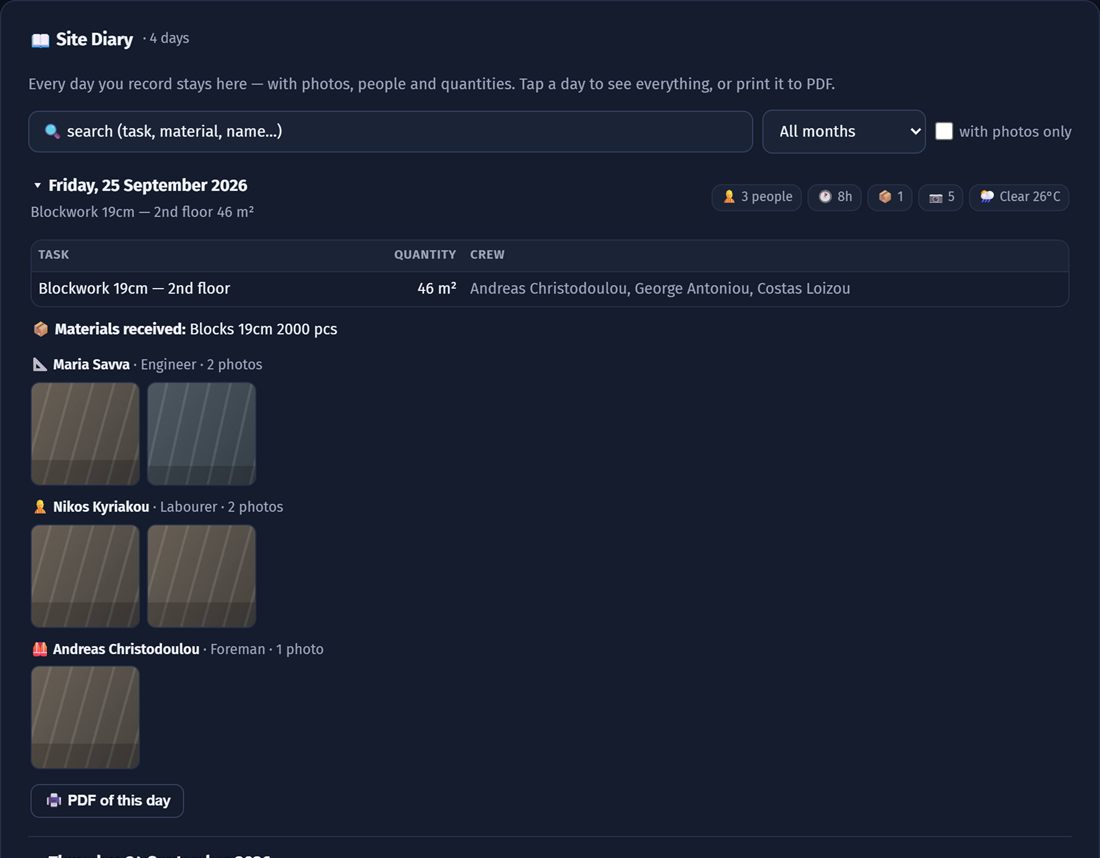
  • Crew, hours, tasks, quantities, materials, weather
  • Photos per day and per person
  • Daily PDF in one click
  • Works without signal — syncs when it finds one
Site diary with days, tasks, crew and photos
02 · COST & CERTIFICATES

Know if you're making money — before the project ends

Quantities from the diary fill the bill of quantities. Cost comes from labour and invoices. The app tells you where you are and where you're heading.

  • Bill of quantities, payment certificates and VAT
  • Cost per work item and profit margin
  • Forecast cost and finish date
  • Variations and claims file
Cost is running ahead of the work done — the app shows it today, not at the final account.
03 · SCHEDULE

A living programme — not a PDF nobody opens

Ready templates for apartment blocks, houses, renovations and commercial buildings. Set a start date and get dates and the critical path.

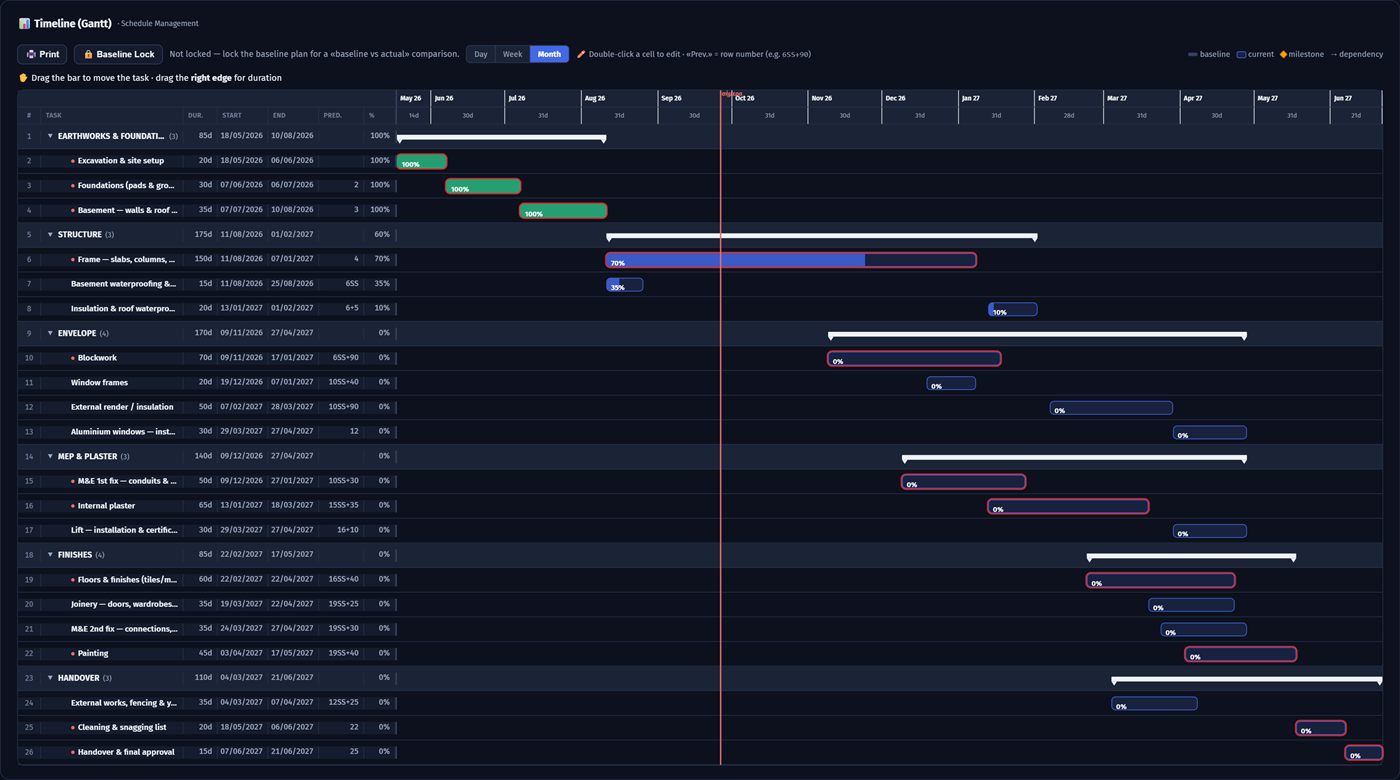
  • Gantt with phases, dependencies and critical path
  • Update progress by dragging the bar
  • Baseline vs actual
  • A4 print for the site meeting
Gantt schedule with phases, dependencies and critical path
04 · EVERYONE ON ONE PROJECT

Everyone in their own app — all working on the same data

The developer sees progress without picking up the phone. The subcontractor knows the deadline. The consultant knows the site has the latest drawing.

  • Everyone sees only what concerns them
  • The foreman doesn't see prices or margins
  • See who's in the project right now
The projectone set of data
Developersales & instalments
Contractorsite & cost
Subcontractorwork & payments
Consultantdrawings & supervision
Try it

One entry on site. Everything else fills itself.

Log a day the way a foreman does — then watch the office numbers update. No one types it twice.

Managed service · Project Management

You build it. We keep it under control.

We take on the management and control of your project — as a project management team, not as software. Decisions remain yours; the structure, the discipline and a partner by your side are ours.

  • We set the baseline — budget, schedule and roles from day one
  • We drive delivery — daily coordination that keeps the team on plan
  • We keep control — weekly EVM and reports that catch problems before they grow
  • We close cleanly — final accounts, documented claims, clean handover
Tell us about your project How it works →
Managed PMO — how we start
Step 1 · Review
We study your documents, contracts and the current state of the project.
Step 2 · Set-up
Budget, schedule and controls in place within the first weeks.
Step 3 · Operation
Weekly control, clear reports, decisions based on data.
Our team works on e-merologio — you see the same numbers, in real time.
How to start

No need to "learn new software"

We set it up with you on a real project, so it works from the first week.

1

A short demo

30 minutes, online or at your office. We look at how you work today and what costs you time.

2

We set up your first project together

Bill of quantities, schedule and staff. Whatever you have in Excel comes in from there.

3

Your crew logs from a phone

The foreman learns the daily log in a few minutes. From then on, the numbers come in by themselves.

See it on one of your own projects

In half an hour you'll know if it's right for you. If not, it costs you nothing.